lemme: natural language to shell commands cli
A natural language CLI that translates plain English into shell commands, powered by Claude, OpenAI, Groq, or Gemini
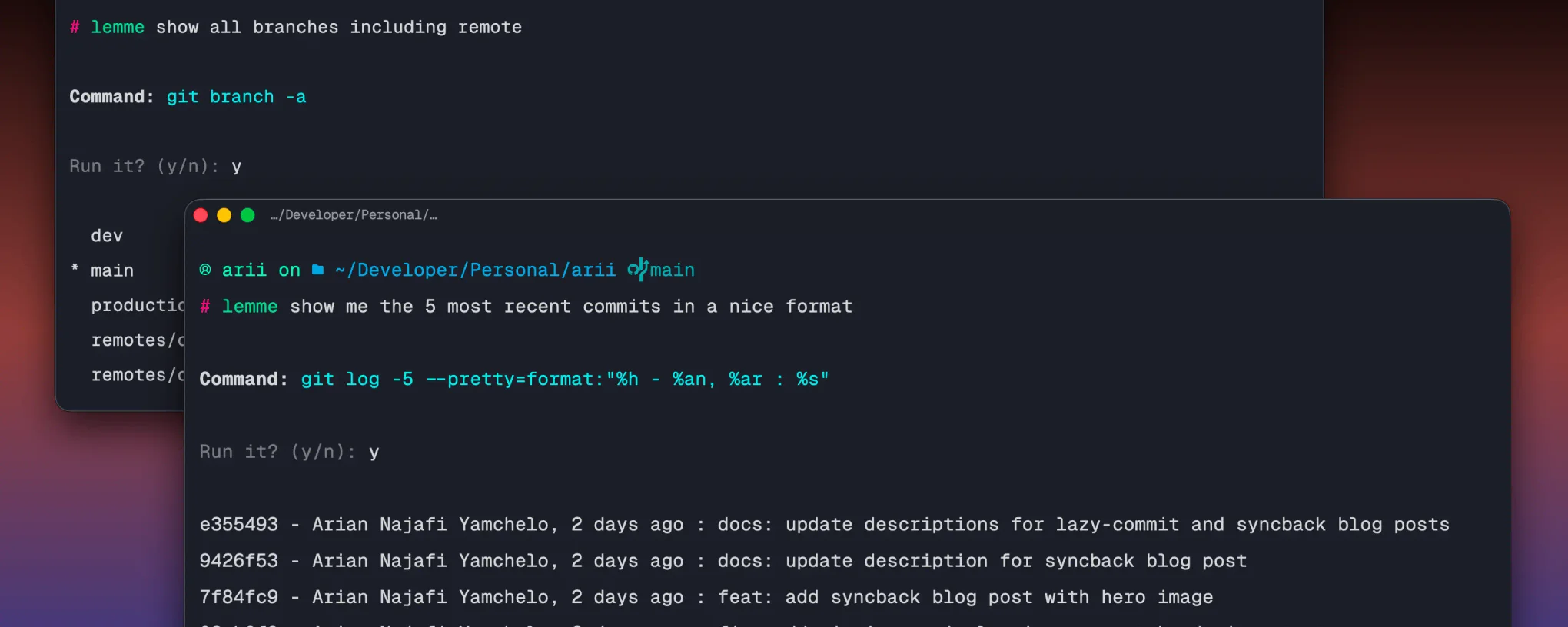
I built lemme because I kept context switching out of the terminal to look up commands I almost remembered. Not complex ones, just the ones where you know what you want to do but cannot quite recall the exact syntax. The round trip of opening a browser, asking ChatGPT, copying, pasting, and tweaking adds up. lemme stays in the terminal, takes plain English, asks an AI, shows you the command, and runs it on confirmation.
key features
- Translates any natural language query into a shell command
- Supports Claude (Anthropic), OpenAI, Groq, and Gemini (Google) as providers
- Shows the generated command and asks for confirmation before running anything
- Auto-detects your shell and OS and passes them to the AI for accurate output
- Saves command history to
~/.config/lemme/history.jsonwhen enabled - Config stored at
~/.config/lemme/config.jsonwith a guided setup wizard lemme config --showandlemme config --resetfor managing your configlemme historyto review past queries and the commands they producedlemme --versionorlemme -vto print the installed version- Auto-run mode for power users who want to skip the confirmation step
tech stack
# core
typescript | node.js | chalk | ora
# ai
@anthropic-ai/sdk | openai | groq-sdk | @google/genaihow it works
The flow is split into small files that each do one job. config.ts handles reading and writing ~/.config/lemme/config.json and auto-detects your shell and OS at setup time. ai.ts takes your query and config, picks the right SDK based on your provider, and sends it to the model with a strict system prompt that instructs it to return only the raw shell command with no explanation or markdown. runner.ts shows the command, waits for confirmation, then hands it to child_process.exec. history.ts appends an entry to the history file after every confirmed run if history is enabled.
The system prompt is what keeps the output clean. It tells the model to return nothing but the exact command, and if the request cannot be expressed as a shell command, to return ERROR: followed by a reason. That error prefix is what lets the CLI detect a bad response and bail before showing anything to the user.
usage
# install globally
npm install -g lemme

# run setup wizard
lemme config

# any natural language query
lemme push my branch to origin
lemme undo my last commit but keep the changes
lemme find all files over 10mb in this directory
lemme kill the process running on port 3000
lemme compress all logs older than 7 days

# manage config
lemme config --show
lemme config --reset

# view command history
lemme history

# print installed version
lemme --version
lemme -v
highlights
The confirm before run step was a deliberate decision. LLM output is non-deterministic and the same query can produce slightly different commands across runs. Treating generated shell commands as trusted and running them immediately is how things go wrong, especially for anything destructive. Showing the command first and waiting for a keypress adds almost no friction but means you always know what is about to run.
Supporting four providers came from wanting the tool to work regardless of what API key you have. Claude, OpenAI, Groq, and Gemini all speak a similar chat completions interface so the abstraction in ai.ts is thin, just a switch on the provider field that picks the right SDK and maps the response to a plain string.
Auto-detecting shell and OS at setup time and baking them into the system prompt makes a real difference to output quality. A command generated for zsh on macOS looks different from one for bash on Linux. Passing that context upfront means the model does not have to guess and the commands it returns are ready to run in your actual environment.
Running lemme --version or lemme -v prints the current version pulled directly from package.json at runtime, so the CLI always reports the version that was actually installed rather than a hardcoded string.