syncback: git branch merge and sync cli tool
A lightweight Node.js CLI for merging branches, pushing changes, handling stashes, and preventing merge conflicts
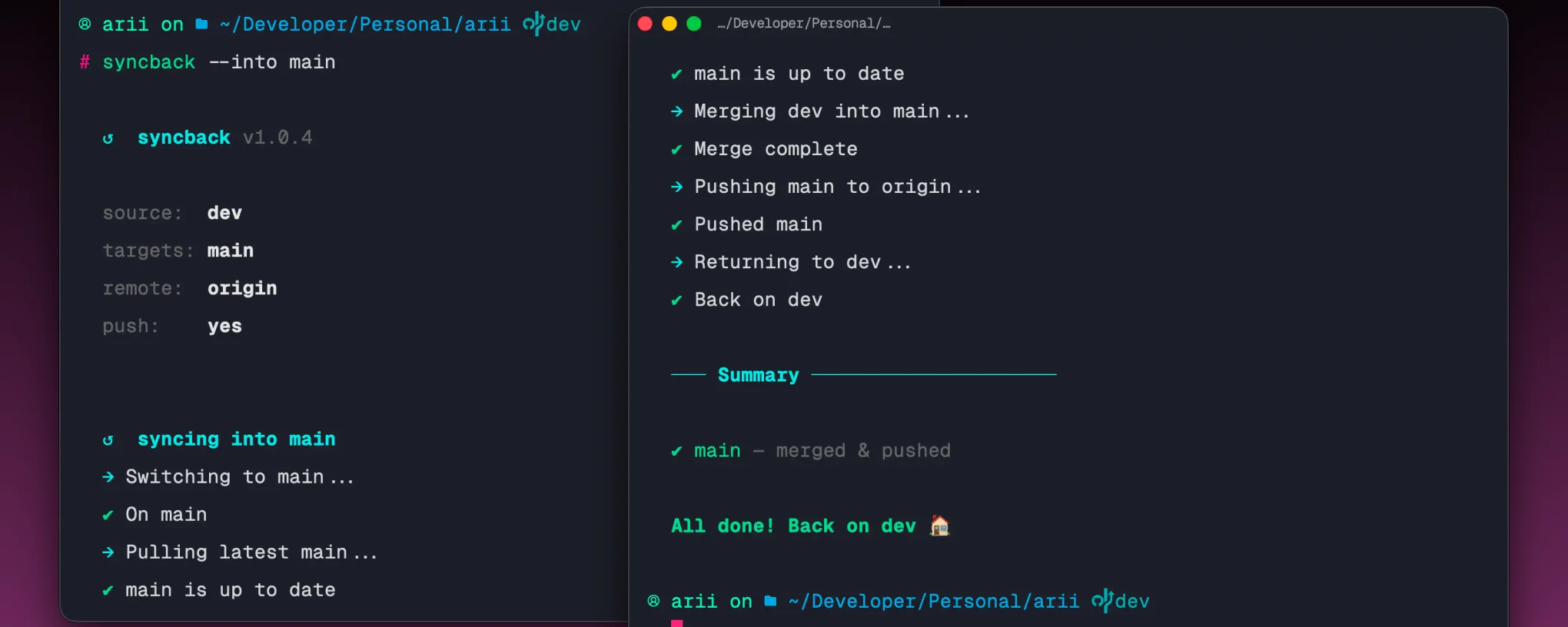
I built syncback because the round trip of merging into main or release is something I do constantly and always get wrong at least once. Checkout the target, pull, merge, push, then remember to switch back. Miss one step and you are either pushing from the wrong branch or left stranded somewhere you did not mean to be. syncback does the whole trip in one command and always brings you home.
key features
- Detects your current branch automatically as the merge source
- Checks out the target, pulls latest, merges, pushes, and switches back
- Supports multiple targets in one command:
--into main --into staging - Auto-stashes uncommitted changes before switching and restores them after
- Conflict safety: aborts cleanly and returns you to your original branch on failure
- Dry-run mode to preview every git command without executing any of them
- Clean summary at the end showing which targets succeeded or failed
--no-pushflag to merge locally without pushing--fromflag to specify a source branch other than the current one
tech stack
# core
typescript | node.js | chalk | commander
# git
simple-githow it works
The flow is split into small files that each do one job. git.ts wraps every git operation (checkout, pull, merge, push, stash) as individual async functions so each one can fail independently. config.ts takes the raw CLI flags from commander and validates them, throwing early if no target branch was provided. index.ts orchestrates the full round trip: detect source branch, stash if dirty, loop through each target, merge, push, return home, restore stash, print summary.
The finally block inside the target loop is what makes the tool safe. Whether the merge succeeds or throws, that block always checks out the original branch before moving on. You cannot get stranded on the wrong branch no matter what goes wrong.
usage
# install globally
npm install -g @ariian/syncback

# merge current branch into main
syncback --into main

# merge into multiple targets at once
syncback --into main --into staging

# merge a specific branch into release
syncback --from feature/payments --into release

# preview without executing
syncback --into main --dry-run

# merge locally without pushing
syncback --into main --no-push
highlights
The thing that makes this feel safe to use is the conflict handling. Most manual mistakes happen when a merge fails midway and you are left on the wrong branch with a dirty state trying to figure out what happened. syncback aborts the merge, checks you back out to where you started, and tells you exactly which target failed. The working tree stays clean and you are never left guessing.
Dry-run mode was important to add early. Running --dry-run prints every git command syncback would execute without touching anything. It takes the anxiety out of using a tool that automates git operations you would normally do manually, especially the first few times.
Supporting multiple targets with --into main --into staging came from a real workflow where you want the same branch pushed to more than one place at once. syncback loops through each target, does the full round trip for each one, and gives you a summary at the end showing exactly what succeeded and what did not.
The auto-stash was the last piece. Switching branches with uncommitted changes fails in git unless you stash first. syncback detects a dirty working tree, stashes automatically, does the work, and pops the stash when it returns home. The whole thing is invisible unless something goes wrong.